UpRadar: Upwork Job Tracker & AI
Track high-value jobs in real-time, instantly weed out scam/unreliable clients with advanced Client Trust Scores, and draft custom proposals with Gemini, OpenAI, or Claude.
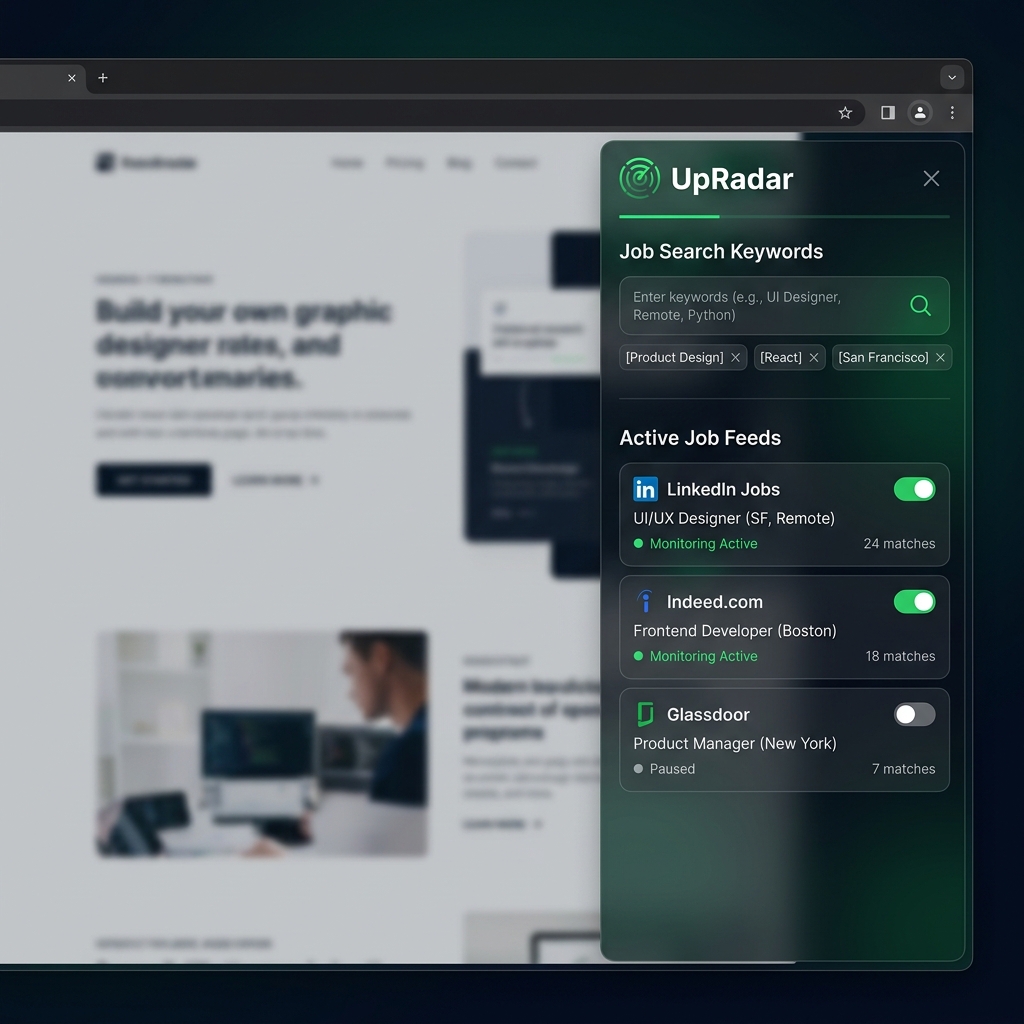
Background Radar Monitoring
UpRadar runs continuously inside a dedicated, pinned background tab using Chrome's native Alarms. It periodically refreshes Upwork's search queries silently in the background, without taking away your active tab focus or disrupting your workflows.
Audio & Push Alerts
Receive instant Chrome desktop notifications and Dual-Tone synthesized alarms utilizing native Web Audio APIs in an offscreen canvas runner.
Telegram Telegram Alerts
Configure a private Telegram Bot and Chat ID to dispatch job posts with title, description, and link directly to your mobile phone.
Client Trust Rating: Save Your Connects
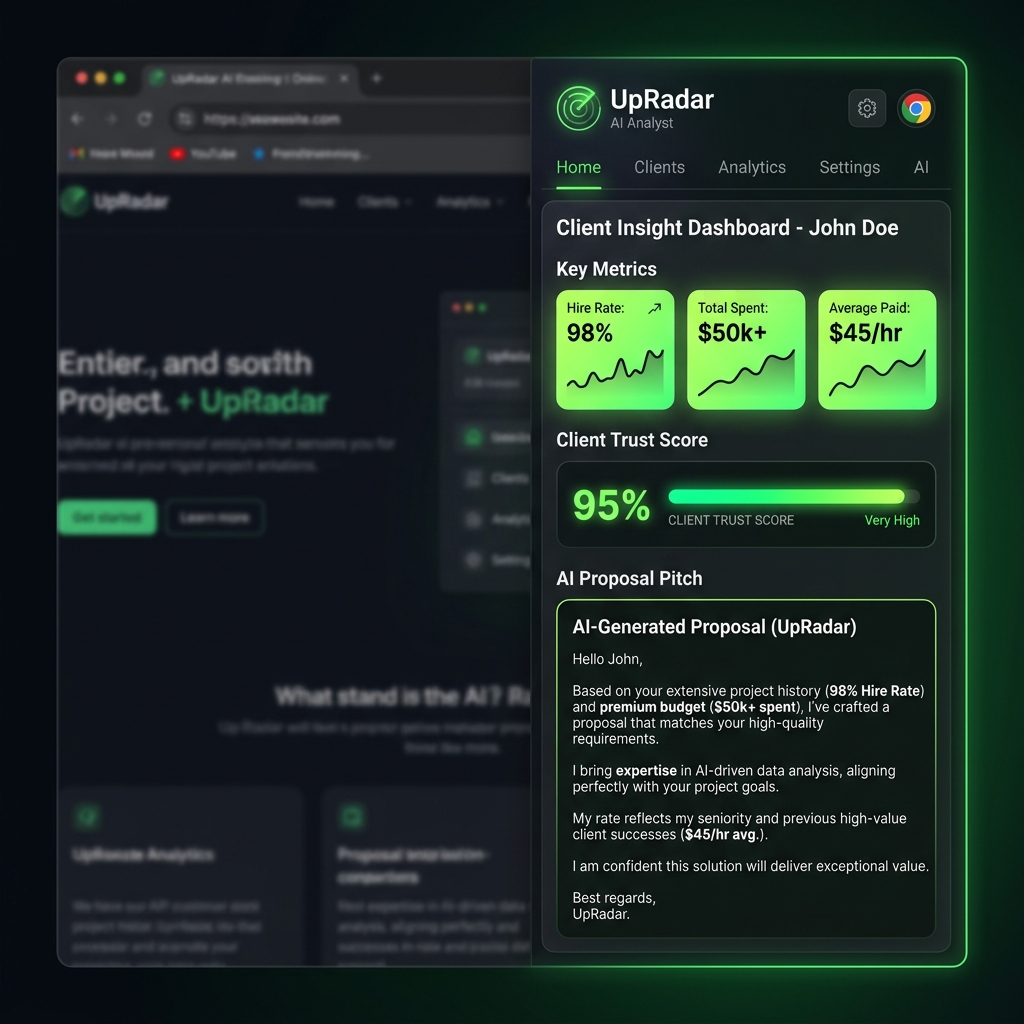
Stop wasting connects and hours on ghost jobs or unreliable clients. UpRadar calculates a local Client Trust Score (0-100%) based on client feedback history, spend levels, hire rates, and average rates paid. Instantly screen for payment verification and bad client patterns, and let Gemini, OpenAI, or Claude draft a direct, custom cover letter pitch matching your skills.
Onboarding & Setup Guide
Follow this simple guide to get UpRadar fully configured, integrated with AI capabilities, and running background alarms.
Launch the Extension
After downloading from the Chrome Web Store, click the Puzzle Piece icon in your browser's toolbar and pin UpRadar. Click our icon to launch the interactive, native side panel. The side panel stays pinned to the side of your workspace, allowing you to monitor jobs while you work.
Set Up Telegram Bot
Receive instant mobile alerts using your own private bot:
- Search for @BotFather in Telegram and send
/newbot. Follow instructions to get your **Bot Token**. - Search for @userinfobot or @GetMyChatID_Bot and message them to retrieve your numeric **Chat ID**.
- Paste both credentials into the UpRadar settings panel and click Save.
Add Your AI Keys
UpRadar analyzes client data and drafts job-winning cover letters locally. To power these features, generate and input your preferred API key:
Best value & response speeds.
Standard model for precise reasoning.
Highly customized, nuanced cover letters.
Background Monitoring
Enter your Upwork RSS URL or keyword query in the dashboard. Choose your background polling interval (down to 1 minute on Pro), and toggle "Start Monitoring".
UpRadar runs silently in the background using Chrome's event page scheduler, sending alarms when new, high-match jobs are published.
Choose Your Radar Strength
Start tracking jobs for free or upgrade to Pro for AI integration, instant Telegram alerts, and 1-minute background updates.
Free Tier
Essential job monitoring
- Monitor 1 search query
- 10-minute check interval (By then, the top 20 proposals are already submitted)
- Chrome desktop notifications
- Local Client Trust Score
- Telegram alerts (Pro only)
- AI Proposal pitcher (Pro only)
Pro Tier
Maximum freelancing edge
- Unlimited monitored queries
- Ultra-fast 1-minute check intervals (Apply instantly to land in the client's first screening wave)
- Chrome desktop notifications
- Advanced client trust stats & scoring
- Telegram Bot alerts (Mobile/Push)
- AI Cover Letter Generator (Gemini/Claude/GPT)
Feature Breakdown
| Feature | Free | Pro |
|---|---|---|
| Query Limit | 1 active query | Unlimited queries |
| Refresh Speeds | 10-minute check | 1-minute interval |
| Chrome Notifications & Audio | Standard chime | Custom Dual-Tone alarm |
| Telegram Integration | No | Yes (Instant webhook) |
| AI Pitch Generator & Analyzers | No | Yes (Gemini / OpenAI / Claude) |
| Client Trust Insights | Basic Score | Full Breakdown & Risks |
Changelog & Updates
Follow UpRadar's product evolution
Official Launch & Core Engine
Initial release of UpRadar, a professional, feature-rich Chrome Extension designed to give freelance contractors a competitive edge on Upwork.
- [AI Analyst]Split tabbed interface separating risk warnings/client history reviews from custom-generated proposal cover letter pitches, with floating click-to-copy integration.
- [Background Tracker]Real-time monitors searching Upwork for designated keywords in the background with immediate desktop notifications.
- [Telegram Bot]Instant push alerts dispatched directly to your private Telegram channel for mobile notifications.
- [Multi-AI Support]Native integration with Gemini, OpenAI, and Claude APIs using custom API keys.
- [Bid Calculator]Built-in hourly rate to project duration bid estimation tool.
- [Dual-Theme]Dynamic theme toggle switcher between Cyberpunk Dark mode and custom Labonni Light Sand mode.
Privacy Policy
Last Updated: June 23, 2026
This Privacy Policy describes how the UpRadar Chrome Extension ("the Extension"), published by Labonni LLC ("we", "us", "our"), handles user data. We are committed to protecting your privacy and ensuring that your interaction with the Extension remains secure and private.
1. No Server-Side Data Collection
The Extension operates as a purely client-side tool. We do not run any remote user databases, and we do not collect, harvest, store, or transmit any personally identifiable information, browsing history, or user activities to our own servers.
2. Secure Local Storage
All settings, keyword filters, search intervals, logs, private Telegram credentials (Bot Token and Chat ID), and AI API keys (Google Gemini, OpenAI, or Anthropic Claude) entered into the Extension are stored 100% locally on your device via Chrome's secure local storage (chrome.storage.local). This data remains on your browser and is never uploaded to our servers or shared with any third parties.
3. Direct Third-Party API Connections
The Extension makes outbound network connections directly from your browser to third-party API endpoints solely on your command to perform job analysis and dispatch notifications:
- Telegram Bot API: Sends job alerts directly to your private chat using your custom Telegram credentials.
- Google Gemini API: Generates job reports and pitches using your private Google API Key.
- OpenAI API: Generates job reports and pitches using your private OpenAI API Key.
- Anthropic Claude API: Generates job reports and pitches using your private Claude API Key.
Your interactions with these third-party services are governed by their respective privacy policies. Your API keys are transmitted directly to these endpoints for authentication purposes and are never exposed to us.
4. Data Security
Since your credentials and API keys are stored in your browser's local sandbox, the security of your data depends on the security of your device. We recommend keeping your operating system and web browser up-to-date and using standard security measures to protect your local environment.
5. Data Retention and Deletion
All stored configurations and job logs remain on your device until you choose to delete them. You can delete all saved settings and keys at any time by uninstalling the Extension or clearing the Extension's local storage through Chrome's developer tools.
6. Changes to This Policy
We may update this Privacy Policy from time to time. Any updates will be posted on this page and the "Last Updated" date at the top of the policy will be updated accordingly.
7. Contact Us
If you have any questions or concerns regarding this Privacy Policy, please contact us at info@labonni.com.
Terms of Service
Last Updated: June 23, 2026
Welcome to UpRadar! These Terms of Service ("Terms") govern your use of the UpRadar Chrome Extension ("the Extension") developed by Labonni LLC ("we", "us", "our"). By installing and using the Extension, you agree to be bound by these Terms. If you do not agree, please do not install or use the Extension.
1. Extension Description and Purpose
UpRadar is a browser productivity extension designed to help freelancers monitor their Upwork job feeds locally in real-time, compute client reliability scores, and generate draft proposal pitches using third-party AI APIs (Google Gemini, OpenAI, Claude).
2. API Keys and Credentials
To use the AI analysis and Telegram notification features, you must supply your own API keys and tokens. You are solely responsible for:
- Acquiring valid keys from Google, OpenAI, Anthropic, or Telegram.
- Any usage fees, quotas, or charges incurred through the use of your private keys.
- Maintaining the confidentiality and security of your keys on your device.
3. Compliance with Upwork Terms
The Extension relies on your active browser session to query job search feeds. You are responsible for ensuring that your use of the Extension complies with Upwork’s Terms of Service and API policies. We do not accept any liability if your use of this local tracking tool results in limitations or actions taken against your Upwork account.
4. Permitted Use and License
We grant you a personal, non-exclusive, non-transferable, revocable license to install and use the Extension for your own professional freelance or agency operations. You may not reverse-engineer, modify, redistribute, or resell the Extension code or assets.
5. Disclaimer of Warranties
THE EXTENSION IS PROVIDED "AS IS" AND "AS AVAILABLE" WITHOUT WARRANTIES OF ANY KIND, EITHER EXPRESS OR IMPLIED. WE DO NOT WARRANT THAT THE EXTENSION WILL BE UNINTERRUPTED, ERROR-FREE, OR THAT IT WILL REVEAL ALL RELEVANT JOB POSTINGS ON UPWORK. WE DISCLAIM ALL WARRANTIES, INCLUDING MERCHANTABILITY AND FITNESS FOR A PARTICULAR PURPOSE.
6. Limitation of Liability
IN NO EVENT SHALL LABONNI LLC BE LIABLE FOR ANY INDIRECT, INCIDENTAL, SPECIAL, CONSEQUENTIAL, OR PUNITIVE DAMAGES, OR ANY LOSS OF PROFITS, DATA, OR USE, ARISING OUT OF OR IN CONNECTION WITH YOUR USE OF THE EXTENSION, EVEN IF WE HAVE BEEN ADVISED OF THE POSSIBILITY OF SUCH DAMAGES.
7. Changes to the Terms
We reserve the right to modify these Terms at any time. Any changes will be posted on this page with an updated "Last Updated" date. Continued use of the Extension after changes are posted constitutes acceptance of the new Terms.
8. Contact Information
If you have any questions about these Terms, please contact us at info@labonni.com.
Refund Policy
Last Updated: June 25, 2026
Thank you for using UpRadar! We want you to be completely satisfied with your purchase. Since UpRadar offers paid subscription plans for pro features, this Refund Policy outlines our guidelines for refunds and subscription cancellations.
1. 14-Day Money-Back Guarantee
If you are not satisfied with your UpRadar subscription, you are eligible for a full refund within 14 days of your initial purchase date. No questions asked.
To request a refund within the 14-day window, please contact us at info@labonni.com with your Google Account email and Stripe transaction ID.
2. Cancellations and Billing Cycles
You can cancel your UpRadar subscription at any time. Once you cancel, your license will remain active until the end of your current billing period (monthly or annually), and you will not be charged again. We do not provide prorated refunds for the remaining days of a billing cycle after cancellation.
3. Refund Processing
Approved refunds are processed immediately through our payment processor (Stripe) and will automatically be credited back to your original payment method. Depending on your bank or card issuer, the refund will typically appear in your account within 5 to 10 business days.
4. Abuse of the Policy
We reserve the right to refuse refunds to users who abuse our refund policy (for example, repeatedly subscribing and requesting refunds to use the extension for free).
5. Contact Us
If you have any questions or would like to request a refund, please reach out to us at info@labonni.com.